
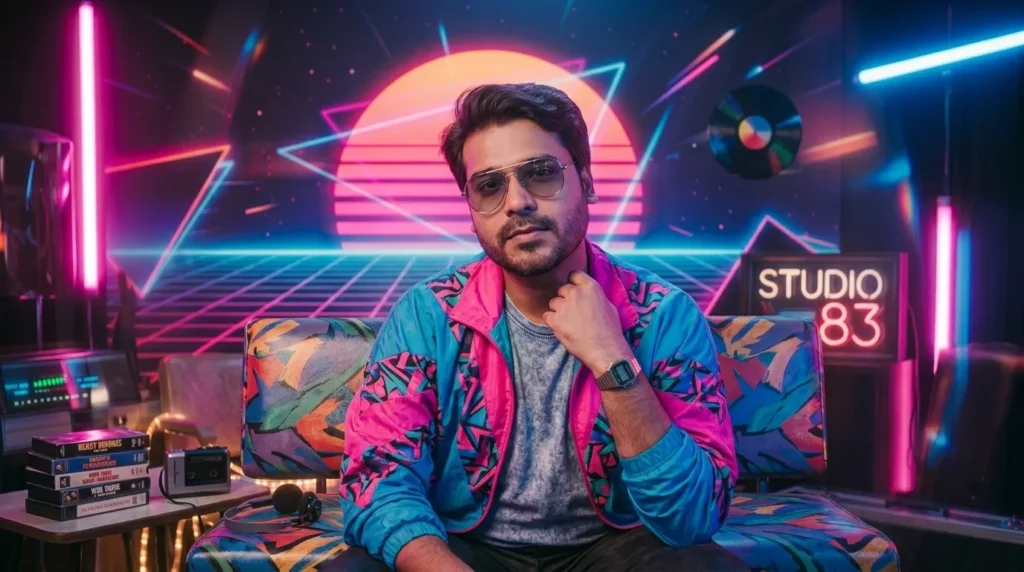
The 80s photo trend is everywhere right now — retro hairstyles, neon lighting, film grain, and that unmistakable vintage mall-photo look, all generated with AI instead of a time machine. If you’ve been searching for “80s style photo prompt text” or wondering how to create an 80s trend photo using ChatGPT’s image generator, this guide gives you ready-to-use prompts you can copy, paste, and customize.
Why This Trend Is Blowing Up
People love this trend because it turns a normal selfie into a nostalgic, studio-style 80s portrait — big hair, soft lighting, retro color grading — without needing a real photoshoot or old film camera. ChatGPT’s image generation (GPT Image) has made this incredibly easy: you upload a photo, add a prompt describing the 80s look you want, and it transforms your image in seconds.
How to Use These Prompts
- Open ChatGPT and upload a clear, front-facing photo of yourself.
- Copy one of the prompts below into the chat.
- Let ChatGPT generate the image — you can tweak details afterward (hair, lighting, outfit) by simply asking for adjustments in the same chat.
80s Style Photo Prompts (Copy & Use)
1. Classic 80s Studio Portrait
Transform this photo into a classic 1980s studio portrait. Add voluminous, feathered 80s hairstyle, soft glamour lighting, a pastel or laser-beam gradient background, and warm film grain. Keep the face natural and true to the original photo.
2. 80s Prom / Yearbook Style
Turn this into an 80s high school yearbook photo. Add big permed or teased hair, a shoulder-padded blazer or bold-pattern outfit, soft studio lighting, and a light blue or maroon gradient laser background typical of 80s school photos.
3. Retro Synthwave / Neon 80s
Reimagine this photo in a synthwave 80s aesthetic. Add neon pink and blue lighting, a subtle grid or sunset background, glossy retro color tones, and a slightly futuristic 80s fashion style while keeping the facial features unchanged.
4. 80s Polaroid / Candid Style
Convert this into a candid 1980s polaroid-style photo. Add a warm faded color tone, visible film grain, slight vignette, soft flash lighting, and an authentic worn polaroid border, as if taken with a vintage camera.
5. 80s Rockstar / Bold Fashion
Give this photo a bold 1980s rockstar look. Add big teased hair, leather jacket or denim with pins, dramatic stage-style lighting, and a smoky concert-like background, while preserving the person’s real facial features.
Tips for Better Results
- Use a well-lit, front-facing photo for the most accurate transformation.
- Mention “keep facial features unchanged” in your prompt so the AI doesn’t alter your identity too much.
- If the first result feels off, ask ChatGPT directly to adjust hair volume, lighting, or background — no need to restart the prompt from scratch.
Save this list and try all five styles — each one gives a noticeably different 80s vibe, so you can pick the one that fits your photo best.